# Responding By Component
[](https://patterns.rufrisk.com/uploads/images/gallery/2026-04/ssp-control-response-3-crop.png)
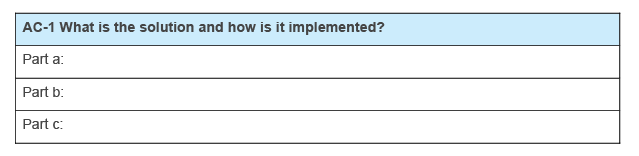
OSCAL SSPs represent control responses in `control-implementation` / `implemented-requirements` / `statements`.
See [Control Implementation Statements](https://patterns.rufrisk.com/books/fedramp-system-security-plan-ssp/page/control-implementation-statements) to understand how to associate control responses with specific baseline controls and control statements.
Within `statements`, all responses must be assocaited with one or more components via the `by-components` array.
OSCAL enables you to be as granular as you wish. Individual components may be added for operating systems, container images, firewalls, policies, procedures and plans. There is always a "this-system" component representing the entire system / authorization-boundary.
### The "This System" Component
There must always be a **"This System"** component defined in the SSP. For control responses, this is used in several ways:
- **Holistic Overview**: The SSP author may wish to provide a more
holistic overview of how several components work together, even if
details are provided individually in other `by-component` assemblies.
- **Catch-all**: Any control response that does not cleanly align with
another system component may be described in the **"This System"**
component.
- **Legacy SSP Conversion**: When converting a legacy SSP to OSCAL,
the legacy control response statements may initially be associated
with the **"This System"** component until the SSP author is able
to provide responses for individual components.
responses occur within `by-components` / `description`.
In a legacy Word-based SSP, it was often necessary to provide narriative for each relevant component in a control response. The entire narriative for all components was captured in a single table cell as separate paragraphs.
With OSCAL, you have the option of keeping a single narriative block, or breaking out a control response by its discrete components.
---
### Retrofit Adoption Path MVP
When converting a Word-based FedRAMP SSP to OSCAL, move all control responses to the `this-system` component.
Every OSCAL SSP must have a `this-system` component defined. It is the only required component.
```yaml
system-security-plan:
system-implementation:
components:
- uuid: 11111111-2222-4000-8000-009000000000
type: this-system
title: This System
description: 'Represents the entire authorization boundary'
status:
state: operational
```
Every `statements` / `by-components` array has exactly one entry that references the `this-system` component and includes the content from the Word-based SSP.
Each `statements` array entry includes:
- a required `uuid` field
- a required `by-components` array. Each array entry includes:
- a required `component-uuid` field that cites the `this-sytem` component from above.
- a required `uuid` field
- a required `description` field that contains the content from the Word-based SSP control response.
- a required `implementation-status` element with:
- a required `state` field with a value of of `implemented`.
```yaml
system-security-plan:
control-implementation:
description: n/a.
implemented-requirements:
- uuid: 11111111-2222-4000-8000-012000010000
control-id: ac-1
statements:
- statement-id: ac-1_smt.a
uuid: 11111111-2222-4000-8000-012000010100
by-components:
- component-uuid: 11111111-2222-4000-8000-009000000000
uuid: 11111111-2222-4000-8000-012000010101
description: Word-based SSP AC-1, statement a response.
implementation-status:
state: implemented
- statement-id: ac-1_smt.b
uuid: 11111111-2222-4000-8000-012000010200
by-components:
- component-uuid: 11111111-2222-4000-8000-009000000000
uuid: 11111111-2222-4000-8000-012000010201
description: Word-based SSP AC-1, statement b response.
- statement-id: ac-1_smt.c
uuid: 11111111-2222-4000-8000-012000010300
by-components:
- component-uuid: 11111111-2222-4000-8000-009000000000
uuid: 11111111-2222-4000-8000-012000010301
description: Word-based SSP AC-1, statement c response.
implementation-status:
state: implemented
```
See the [Example](#bkmk-example) below.
---
### Native Adoption Path
When creating an SSP from scratch, ensure appropriate components are defined before authoring a control response. The `this-system` component must always be present. Other components are present baed on their use within the sytem. See [Components](https://patterns.rufrisk.com/books/system-security-plans/page/components) for more information.
```yaml
system-security-plan:
system-implementation:
components:
- uuid: 11111111-2222-4000-8000-009000000000
type: this-system
title: This System
description: 'Represents the entire authorization boundary'
status:
state: operational
- uuid: 11111111-2222-4000-8000-009000600001
type: policy
title: Access Control and Identity Management Policy
description: 'A corporate policy used for the system.'
status:
state: operational
```
Every `statements` / `by-components` array has one or more entries that reference components describes how that component is satisfying that control requirement statement.
Each `statements` array entry includes:
- a required `uuid` field
- a required `by-components` array. Each array entry includes:
- a required `component-uuid` field that cites the appropriate component from above.
- a required `uuid` field
- a required `description` field that contains the content from the Word-based SSP control response.
- a required `implementation-status` element with:
- a required `state` field with a value of of `implemented`.
```yaml
system-security-plan:
control-implementation:
description: n/a.
implemented-requirements:
- uuid: 11111111-2222-4000-8000-012000010000
control-id: ac-1
statements:
- statement-id: ac-1_smt.a
uuid: 11111111-2222-4000-8000-012000010100
by-components:
- component-uuid: 11111111-2222-4000-8000-009000600001
uuid: 11111111-2222-4000-8000-012000010102
description: Describe how this policy satisfies part a.
implementation-status:
state: implemented
- component-uuid: 11111111-2222-4000-8000-009000000000
uuid: 11111111-2222-4000-8000-012000010101
description: "Provide general context about satisfying part a that doesn't fit a defined component."
implementation-status:
state: implemented
```
#### Example
_IA-2 Identificaiton and Authentication (Organizational Users)_ is satisfied by a combination of:
- the IA Policy
- an IA Procedure
- a container running KeyCloak
- an enterprise directory capability
This was originally described in the the IA-2 narriative as:
> All components requiring authentication are configured to redirect users to KeyCloak. When a user supplies their ID and KeyCloak recognizes it as belonging to this organization, it redirects the user's authentication attempt to the enterprise directory capability for authentication. The enterprise directory reports the user's authentication success or failure back to KeyCloak. If authentication is successful, KeyCloak generates an access token and passes it back to the compnent requesting authentication.
>
> The IA Policy requires use of the enterprise directory for authentication of organizational users. The system-level IA Procedure provides instructions for admins to configure their compoents to use KeyCloak for authentication.
Within the OSCAL SSP, this entire statement can initially be assocaited with the "this-system" component in the `by-component` response to AC-2.
- `by-component` (`this-system`)
> All components requiring authentication are configured to redirect users to KeyCloak. When a user supplies their ID and KeyCloak recognizes it as belonging to this organization, it redirects the user's authentication attempt to the enterprise directory capability for authentication. The enterprise directory reports the user's authentication success or failure back to KeyCloak. If authentication is successful, KeyCloak generates an access token and passes it back to the compnent requesting authentication.
>
> The IA Policy requires use of the enterprise directory for authentication of organizational users. The system-level IA Procedure provides instructions for admins to configure their compoents to use KeyCloak for authentication.
---
##### Moving Toward Normalization
At a later date, the SSP author can define components for the IA Policy and system-level IA Procedure and associate them with AC-2. The content shifts to be represented like this:
- `by-component` (`this-system`)
> All components requiring authentication are configured to redirect users to KeyCloak. When a user supplies their ID and KeyCloak recognizes it as belonging to this organization, it redirects the user's authentication attempt to the enterprise directory capability for authentication. The enterprise directory reports the user's authentication success or failure back to KeyCloak. If authentication is successful, KeyCloak generates an access token and passes it back to the compnent requesting authentication.
- `by-component` (`policy`)
>The IA Policy requires use of the enterprise directory for authentication of organizational users.
- `by-component` (`process-procedure`)
> The system-level IA Procedure provides instructions for admins to configure their compoents to use KeyCloak for authentication.
---
##### Fully Normalized
Eventually, components are added for KeyCloak and the enterprise directory; however, some of this narriative describes how the two work together. The `this-system` component can still be used for any narriative that doesn't fit cleanly in another component.
- `by-component` (`this-system`)
> All components requiring authentication are configured to redirect users to KeyCloak.
- `by-component` (`software` / KeyCloak)
> When a user supplies their ID and KeyCloak recognizes it as belonging to this organization, it redirects the user's authentication attempt to the enterprise directory capability for authentication.
>
> If authentication is successful, KeyCloak generates an access token and passes it back to the compnent requesting authentication.
- `by-component` (`service` / enterprise directory)
> The enterprise directory reports the user's authentication success or failure back to KeyCloak.
- `by-component` (`policy`)
>The IA Policy requires use of the enterprise directory for authentication of organizational users.
- `by-component` (`process-procedure`)
> The system-level IA Procedure provides instructions for admins to configure their compoents to use KeyCloak for authentication.
This is now fully normalized.
---