
Architecture, Network and Data Flow Diagrams
The Architecture, Network and Data Flow Diagramss are each represented using the same OSCAL patterns, with only the top level assemby name changing.
Authorization Boundary
The OSCAL approach to this type of diagram is to treat the image data as either a linked or base64-encoded resource in the back-matter section of the OSCAL file, then reference the diagram using the link field. The narrative describing the system architecture must be provided in the description field of the authorization-boundary assembly.
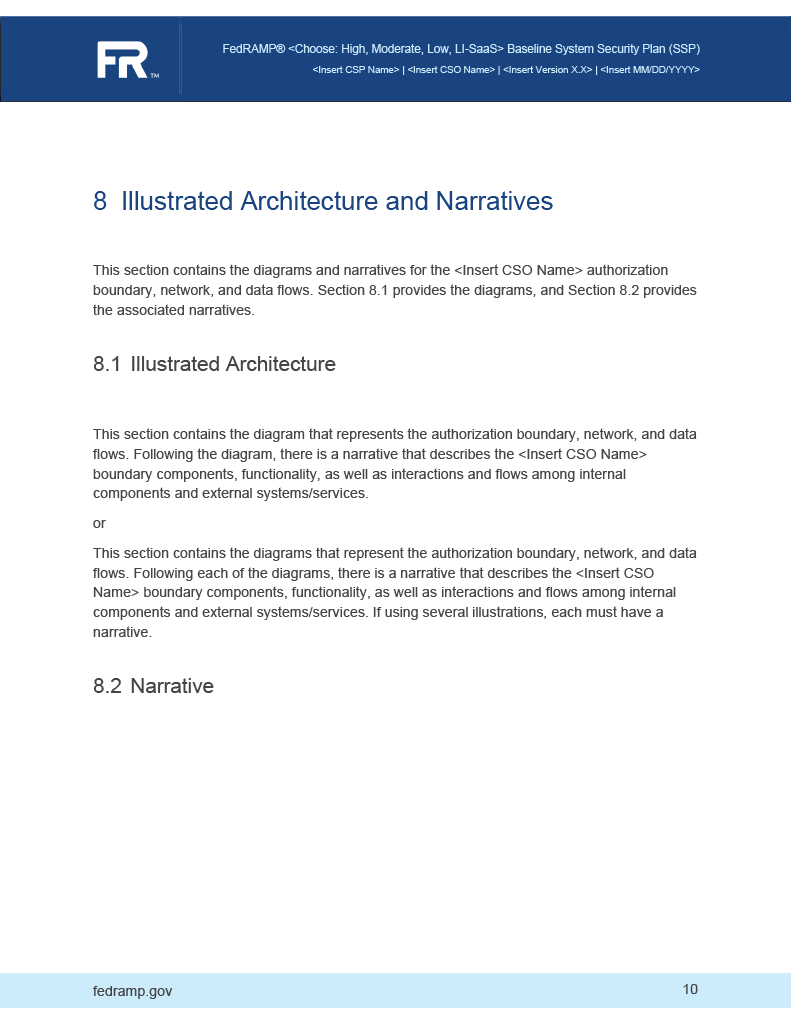
OSCAL Representation
<system-characteristics>
    <!-- leveraged-authorization -->
    <authorization-boundary>
        <!-- 8.2 Narrative (Boundary) -->
        <description>
            <p>A holistic, top-level explanation of the FedRAMP authorization boundary.</p>
        </description>
        <!-- 8.1 Illustrated Architecture (Boundary) -->
        <diagram uuid="uuid-value">
            <description><p>A diagram-specific explanation.</p></description>
            <link href="#uuid-of-boundary-diagram-1" rel="diagram" />
            <caption>Authorization Boundary Diagram</caption>
        </diagram>
        <!-- repeat diagram assembly for each additional boundary diagram -->
    </authorization-boundary>
    <!-- network-architecture -->
</system-characteristics>

<!-- cut -->

<back-matter>
    <resource uuid="uuid-of-boundary-diagram-1">
        <description><p>The primary authorization boundary diagram.</p></description>
        <base64 filename="architecture-main.png" media-type="image/png">00000000</base64>
    </resource>
</back-matter>
XPath Queries
Overall Description:
        /*/system-characteristics/authorization-boundary/description/node()
    Count the Number of Diagrams (There should be at least 1):
        count(/*/system-characteristics/authorization-boundary/diagram)
    Link to First Diagram:
        /*/system-characteristics/authorization-boundary/diagram[1]/link/@href


    If the diagram link points to a resource within the OSCAL file:
        /*/back-matter/resource[@uuid="uuid-of-boundary-diagram"]/base64
    OR:
        /*/back-matter/resource[@uuid="uuid-of-boundary-diagram-1"]/rlink/@href
    Diagram-specific Description:
        /*/system-characteristics/authorization-boundary/diagram[1]/description/node()
Replace XPath predicate "[1]" with "[2]", "[3]", etc.
Network Architecture
The network architecture diagram follows the same patter as the Authorization Boundary diagram, except the content is placed under network-architecture instead of authorization-boundary.
OSCAL Representation
<system-characteristics>
    <!-- authorization-boundary -->
    <network-architecture>
      <!-- content -->
    </network-architecture>
    <!-- data-flow -->
</system-characteristics>
Data Flow
The data flow diagram follows the same pattern as the Authorization Boundary diagram, except the content is placed under data-flow instead of authorization-boundary.
OSCAL Representation
<system-characteristics>
    <!-- authorization-boundary -->
    <!-- network-architecture -->
    <data-flow>
      <!-- content -->
    </data-flow>
</system-characteristics>